 Free
FreeMP3 Editor for Free
Record, trim and shape your sound.
See What It Can DoGet your clips into the format you need, whether you are sharing a short video or organizing a whole folder.
Completely Free. All Features Included.No Payment Required.
Windows 10 & 11 · 64-bit
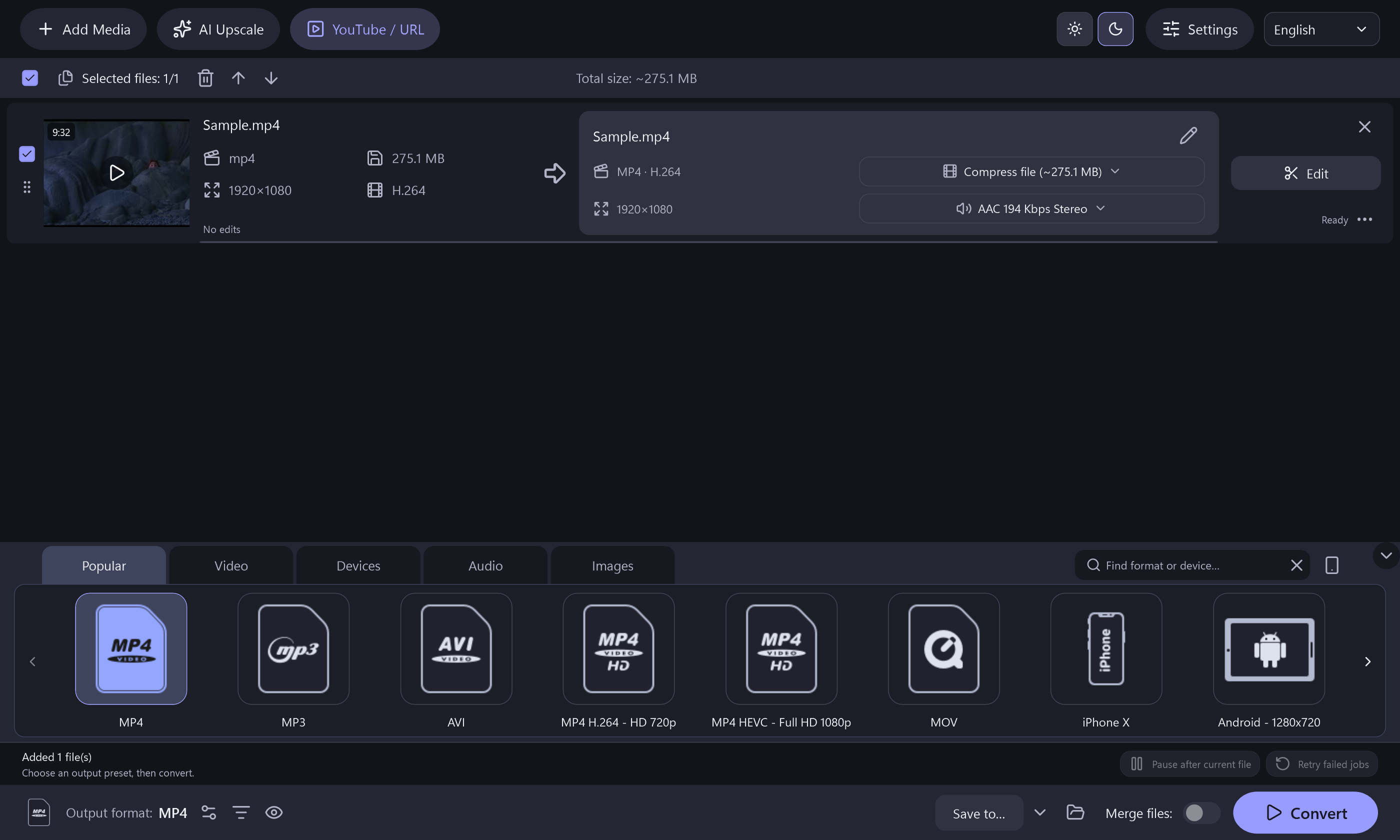
A format change can also be a chance to make a useful edit.

Choose a video format that fits your player, editing tool or sharing workflow.
Add multiple local videos to one queue and prepare their outputs together.
Adjust output settings when a video needs to be smaller. File size and quality depend on the options you select.
Trim unwanted footage, crop the picture or rotate a clip before conversion.
Bring one file or several into the queue.
Set the output and make any finishing edits.
Convert the queue to your chosen outputs.
The Complete App Is FreeWindows 10 & 11 · 64-bit · Version 8.2.0 · 157.1 MiB
Use a 64-bit Windows 10 or Windows 11 PC. Online functions need an internet connection. Setup includes a separate, optional RelevantKnowledge research invitation. You may decline it and still install and use the application. Desktop shortcut and launch-after-install options start checked and can be changed.
RelevantKnowledge Research Privacy Policy ↗FreeRecord, trim and shape your sound.
See What It Can Do Free
FreeCreate music discs, data discs and ISO projects.
See What It Can Do Free
FreeTurn readable DVD titles into video or audio files.
See What It Can DoClear answers about OneClick Video Switch.
The application includes common formats such as MP4, MOV, AVI and MKV. Available options are shown in the format browser.
Yes. Add several clips to the conversion queue to process them together.
Yes. Output settings let you adjust properties that affect file size, including bitrate and resolution. Smaller outputs may lose detail.
Yes. Open the editing controls before conversion to trim, crop or rotate a video.
No. Re-encoding video can change quality. Choose settings appropriate for your source and intended use.
Yes. The current software features, including the conversion queue, are free to use.