 Free
FreeMP3 Editor for Free
Record, trim and shape your sound.
See What It Can DoMake the audio files you have work with the player, project or library you are using next.
Completely Free. All Features Included.No Payment Required.
Windows 10 & 11 · 64-bit
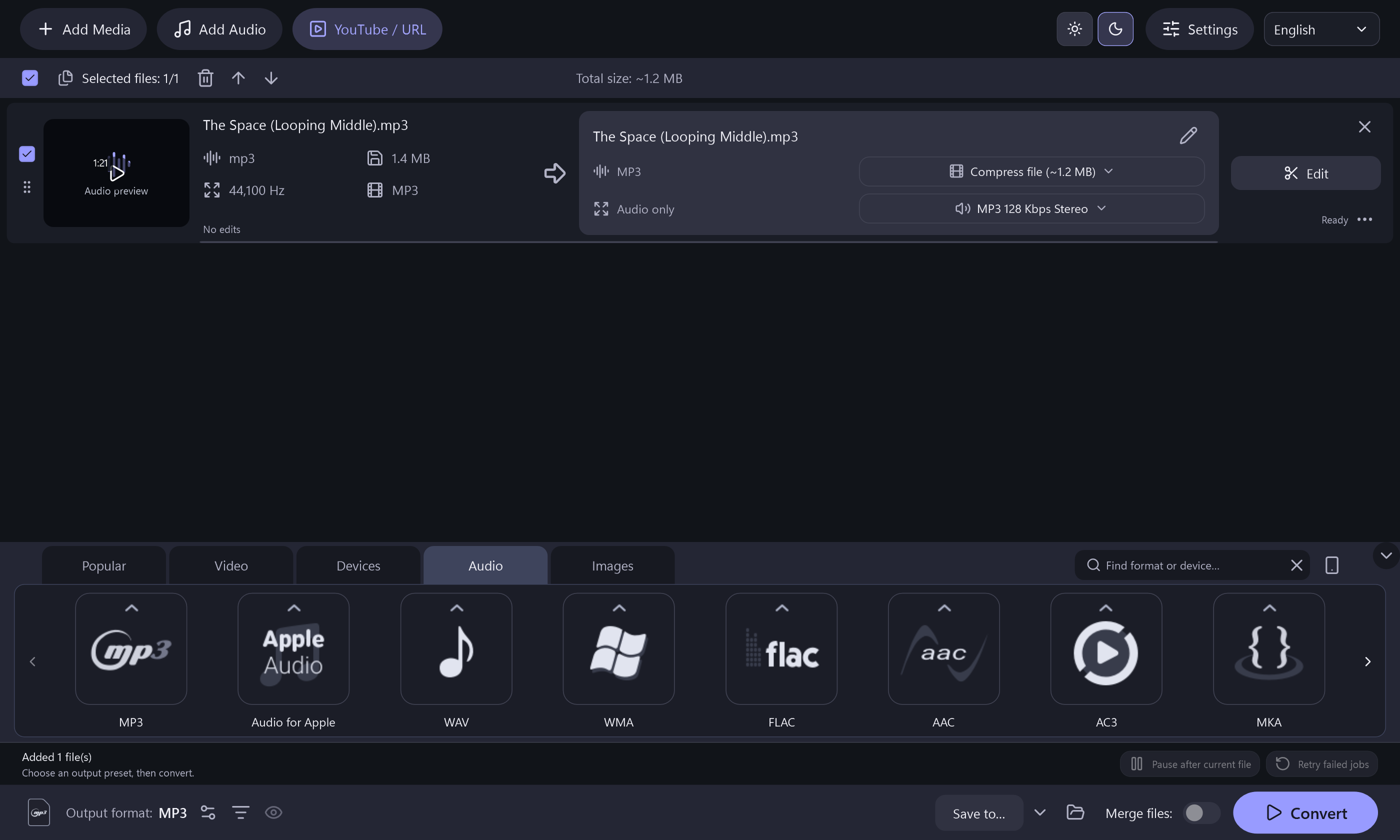
Choose a format once, then give your files a new place to fit.

Choose MP3, WAV, FLAC, AAC or another available format for the task ahead.
Add several audio files and process the queue instead of repeating the same job one file at a time.
Use a local video as input and export its soundtrack as an audio-only file.
Choose an MP3 bitrate that balances file size with the sound you want to keep.
Choose the files whose sound you want to keep.
Select the format and settings for your output.
Create audio files for your next workflow.
The Complete App Is FreeWindows 10 & 11 · 64-bit · Version 8.2.0 · 157.2 MiB
Use a 64-bit Windows 10 or Windows 11 PC. Online functions need an internet connection. Setup includes a separate, optional RelevantKnowledge research invitation. You may decline it and still install and use the application. Desktop shortcut and launch-after-install options start checked and can be changed.
RelevantKnowledge Research Privacy Policy ↗FreeRecord, trim and shape your sound.
See What It Can Do Free
FreeCreate music discs, data discs and ISO projects.
See What It Can Do Free
FreeTurn readable DVD titles into video or audio files.
See What It Can DoClear answers about SoundTurn Audio Converter.
Yes. You can add multiple files to the conversion queue and process them together.
Yes. Import a supported local video with an audio track and choose an audio output such as MP3 or FLAC.
Yes. FLAC input and MP3 output are available. Keep your original FLAC file if you also want a lossless source copy.
No. A lossless output format cannot recover information that was removed by an earlier lossy encoding.
SoundTurn is designed for conversion. For recording and detailed waveform edits, use MP3 Editor for Free.
Yes. The current application’s conversion features are available without a paid license.