 Free
MP3 Editor for Free
Record, trim and shape your sound.
See What It Can DoMake the best part of a song your next ringtone, with a precise cut and a softer finish.
Completely Free. All Features Included.No Payment Required.
Windows 10 & 11 · 64-bit
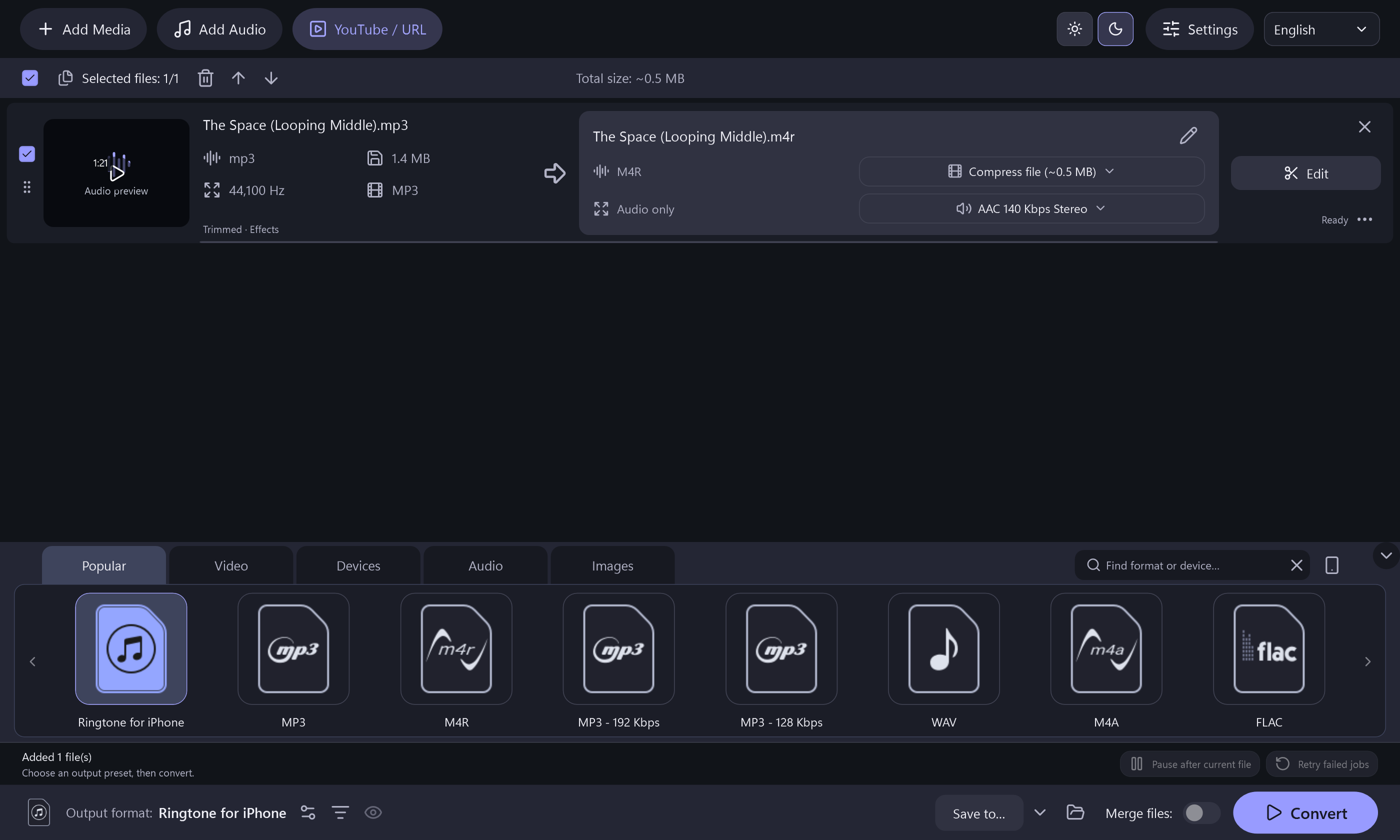
The moment, the length and the finish are yours to choose.
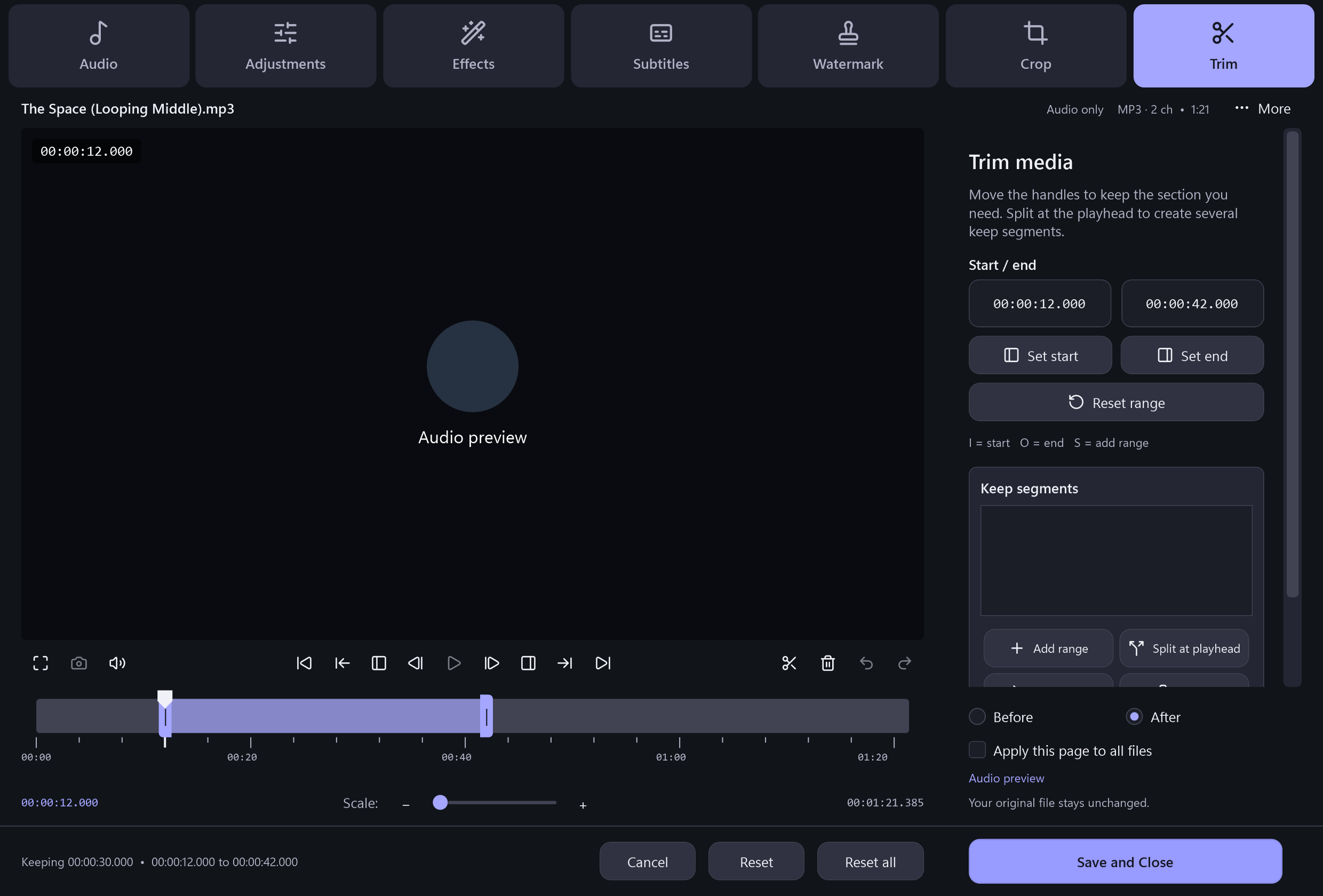
Set a start and end point to turn a longer song into the short section you want.
Export MP3 for compatible phones or M4R for an iPhone ringtone workflow.
Add a fade-in, fade-out or both so the clip begins and ends more gently.
Import a local video and keep its audio as a ringtone file.
Choose a local source with the sound you want.
Keep your favorite part and shape its ending.
Save MP3 or M4R for your phone workflow.
 The Complete App Is Free
Windows 10 & 11 · 64-bit · Version 8.2.0 · 157.1 MiB
Use a 64-bit Windows 10 or Windows 11 PC. Online functions need an internet connection. Setup includes a separate, optional RelevantKnowledge research invitation. You may decline it and still install and use the application. Desktop shortcut and launch-after-install options start checked and can be changed.
RelevantKnowledge Research Privacy Policy ↗FreeRecord, trim and shape your sound.
See What It Can Do Free
Create music discs, data discs and ISO projects.
See What It Can Do Free
Turn readable DVD titles into video or audio files.
See What It Can DoClear answers about EarCatch Ringtone Express.
Yes. EarCatch includes an iPhone M4R output profile as well as MP3 ringtone choices.
Yes. Use the trim controls to set the start and end of the section you want to export.
Yes. Import a local video with an audio track, trim the part you need, and export it as audio.
No. EarCatch creates the ringtone file. Transferring the file and selecting it on your phone are separate steps.
Yes. Fade-in and fade-out settings are available and apply when the clip is exported.
No. MP3 and M4R ringtone exports are included in the free application.